November Issue: #ProjectPLN

It’s here, it’s here!  The November issue of Project PLN is finally finished (thanks to many of you!) and ready to share.

We are excited about the November issue of Project PLN because it is full of feel-good stories about the amazing things that are happening in schools around the world.  We have a great collection of stories that will have  you inspired and thankful to be a part of this thing we call education.  Take a look at the stories in the new issue, leave a comment for those who contributed and feel free to share your own stories on Twitter using the hash tag #SchoolDidaGoodThing

At Anastasis, we had a few students share what good things they saw happening at school, it is always great to have the kids perspective!  Be sure to check out that post in Project PLN this month!

For the December Issue, we want to do something AWESOME. We want to hear from students from across this country and around the world. Educators, politicians, parents and many more have been doing a lot of talking about what schools should look like to best serve students. Well, we had the crazy idea of actually asking the students what they would want their school to look like if they could design it! These can be group projects or a collection of smaller projects. If you send it, we will publish it. :-)  I did this project with students a few years ago and it was really neat.  Amazing things happen when you ask for student input!

Using this Google Doc, please sign up for the grade level you teach and have your students draw, write, film, animate, etc what they want in their dream school. In all, we would like to have 13 posts representing K-12.

We would love to have all submissions by Monday December 19 so we can put them up for Tuesday December 20th before the Holidays get the best of us.

Dreaming: A look at Anastasis Academy

You may be wondering (or not) where the daily posts have been lately.  Believe me, it isn’t for lack of tools to share!  The slowness here is directly related to the time I am spending starting a school…as it turns out it is quite a bit of work! 😉  If you are a reader of all of my blogs, you have already seen this one, but for those of you who only follow me here, I thought I would give you a peek into the school I started this year.

Below, I share a picture of an incredible morning we had at Anastasis Academy where we welcomed singer/song writer Matthew West to join us for our morning devotion…we had NO idea it would result in the incredible private concert that it did.  What an enormous blessing to have Matthew share his time, creativity and passion with us.  Check out video of the morning on our school blog Stand Again.

|Kelly Tenkely|

It’s a pretty incredible thing to see dreams come to fruition.

For me it started with an obsession and passion for creating rich learning environments where every student was recognized as an individual. In that first post I wrote:

“I have a dreams of education. I have dreams of the way that schools should look. I have dreams of kids who find their passions. I have dreams of schools as rich learning centers.”

I had dreams of stripping the “vanilla” away so that passions could emerge.

Dreams of ditching that boxed curriculum that we call an education and watching the factory model fade into the rear-view mirror.

Dreams of ending the practice of viewing teachers (and students) as expendables.

I had dreams of schools that were beautiful, that were designed with students in mind.

Dreams that education would stop looking so much like the McRib.

Dreams of breaking free of the box, of valuing students and teachers,  of using the right tools, of a school where a student’s inner da Vinci can break through, of a school that customizes learning.

I shared dreams of more fabulous failures.

The dreams started trickling into reality in March of this year (2011).  In March I started getting some hints that these dreams weren’t really all that far-fetched.  By May I had officially started a school.  In August we opened the doors to Anastasis Academy with our first 50 students in 1st through 8th grade and had hired a dream team of 5 truly incredible teachers to lead them.  In four short months we went from dreams to reality.

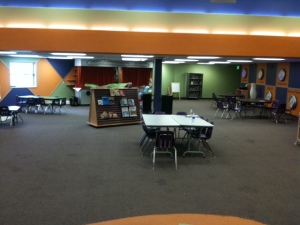
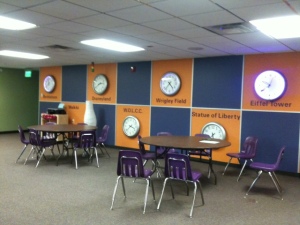
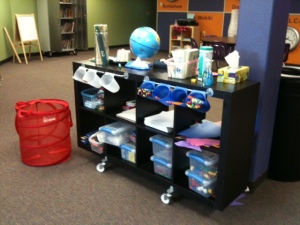
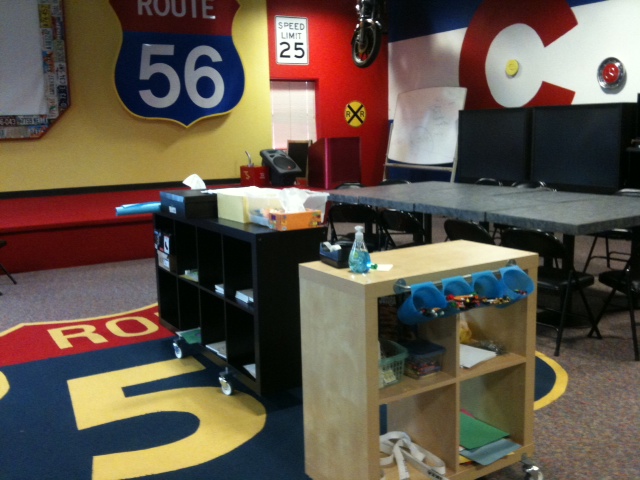
At Anastasis Academy, we lease space from a church building throughout the week.  We have our own wing with classrooms, a playground, a gym and a kitchen.  All of our furniture is on wheels.  This makes it easy to adjust space daily based on needs, it is also a necessity since we use shared space.  Twice a week we move all of our belongings across the hall into a storage room (if I’m honest, this is the part we could do without!).  We can’t complain about the space.  It is pretty incredible!

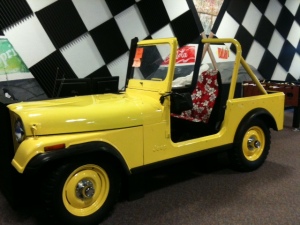
You will notice that we don’t have rows of desks.  No teacher’s desk either.  We have space that kids can move in. Corners to hide in, stages to act on, floors to spread out on, cars to read in.  We are learning how to learn together, learning how to respect other children’s space and needs, learning how to discipline ourselves when we need to, learning how to work collaboratively, we are learning to be the best us.


You won’t see a worksheet at Anastasis. We use iPads.  That isn’t to say that we ONLY use iPads, in fact, you’ll often see us building, cutting, pasting, writing on a whiteboard/chalkboard and even paper.  We do a lot of blogging, a lot of reflecting, a lot of Evernotting, a lot of cinematography, a lot of discussing.
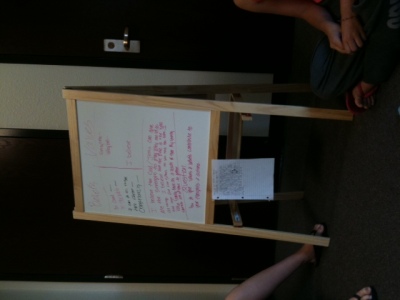
Every morning we start with a 15 minute walk outside together…as a community.  We invite parents and siblings to be a part of our morning walk. Occasionally we have the dogs join in on the fun.  After the walk we come inside as a whole-school for a time of devotions. Again, this is a time for us to build community, to foster the culture we want for our school.  Families are invited to join us every morning.  We always have at least one family and, many times, multiples.  We pray with each other and for each other. We have hard conversations and funny conversations. We think together and challenge each other.

Matthew West joining us for devotions!

Our inquiry block is a time for hands-on transdisciplinary learning.  This is my VERY favorite time to walk through classrooms.  It is incredible to see the joy in discovery.  It is incredible to have a second grade student with dyslexia discover an app to make stop motion animations, teach himself how to use it and proceed to stand up before 7th and 8th grade students to explain how stop motion works.  I wish I could bring you all through the building during this time.  Every time we have a visitor the students pause long enough to describe what they are doing, the learning that is happening. I often have to pick my jaw up off the floor. These kids are amazing.


We have no curriculum. At all. Zip. What did we do instead? We hired the very BEST teachers we could find.  We gave them a base level of skills that we wanted students to have- an outline if you will.  We used the Common Core Standards as our baseline.  We don’t use the standards like most schools do. We use them to make sure that our students have the building blocks and foundations of learning in place.  And then we let our students and teachers GO. The standards are not a weight we are tied to, they are the underpinnings that make it possible for us to soar and take our learning anywhere.  When you look at the Common Core standards they are pretty underwhelming.  I’m glad they are! They provide us with just enough momentum to propel us forward and then off we go on a journey of learning!  We also have our big inquiry questions in place.  From there, we go where the learning takes us, bunny trails and all.  It is pretty fantastic.  Today one of our primary students came out to see me and said, “Look at this boat I found in this new library book. Can I try to make it?”  My answer: “Absolutely! What materials do we need?”  Together we made a list of all the materials I needed to pull together for him.  Tomorrow he will build that boat he is fascinated with and find out if it works the way he has planned.  That is learning!  Tell me what boxed curriculum allows time for that to happen? None. That is why we don’t have it.
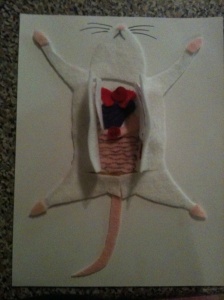
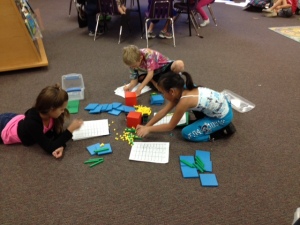
In the afternoons we have more “content” area subjects (i.e. math and language arts).  In the primary grades this means students building the skills they need to support their inquiry.  In the intermediate grades this means honing those skills for better communication and more thorough inquiry.  Again, we don’t work from a boxed curriculum. We find the lessons, approaches, and materials that work for the individual student.  Sometimes this means working with manipulatives, sometimes it means exploring measurement outside, and sometimes it means using an app.  It changes daily based on the needs of the students.
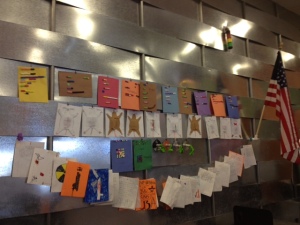
We have mixed age level classrooms.  We do this for a lot of reasons.  Most importantly, it is good for older and younger students to work together and learn from each other; it is vital that a child be able to work at their developmental level and progress as they are ready to; and it deepens inquiry when students with different perspectives work together.

Once every five weeks we invite the parents to join us for Parent University.  This is a time for us to help parents understand this new way to do school.  Detox, if you will.  It is a time for us to show parents what best practices in education look like, why grades aren’t all they are cracked up to be, why play is important.  It is a time for us to think and laugh together. It is a time to get questions answered.

Also every five weeks, we hold a “Meeting of the Minds”.  This is a parent/teacher/student conference where we all get together and set our road map for the next 5 weeks.  Students write goals with the help of their teacher. They have ownership over what they have done the last 5 weeks and tell mom and dad what they have planned for upcoming 5 weeks.

Every Friday we have a learning excursion or an opportunity for an “Anastasis Serves”.  Learning excursions are field trips all over the place that help students start to recognize that learning doesn’t just happen when we are at school.  Learning happens everywhere we are and, if we are paying attention, all the time.  Anastasis Serves is a time for our students to give back to the global community.  Sometimes this is a door-to-door scavenger hunt for donations, sometimes this is learning about orphans around the world, or packaging cookies and letters to send to our troops.

We don’t do grades, we do assessment all day every day while we learn.  We don’t do homework, we pursue our families and passions at home.  We don’t do worksheets, we do interesting (sometimes frustrating) work. We don’t do boxed curriculum, we do on-demand learning.

We do mistakes. We do community. We do collaboration. We do messy. We do play. We do fun. We do technology. We do learning.

How do we do all this? We have a 12 to 1 student teacher ratio (or less).  We have incredible students, parents and teachers.  We have stinking smart board members who are invested in our success and trust our judgement calls.  We set our tuition at $8,000 (per pupil spending in our district) to show that even though we are private, this can be done in the public schools.  We started with nothing…well almost nothing, we had dreams.  There was no capital raised, no fund-raisers, no huge donation. We started the beginning of the year at $0 and put blood, sweat and tears into it.

This is not to say that we have it all figured out, that all of our students are perfect, that all of our staff or families are perfect. We are perfectly imperfect as every school is. We have days when the kids are BOUNCING off the walls, we have disagreements, tired teachers, stressed parents, a founder who has occasional melt downs (that would be me), students who need extra love and support, tight budgets, parents who demand different, scuffles, sniffles and band-aids…lots of band-aids.  There is nowhere else I would rather be. No other group of people I would rather work with. No other students whose germs I would rather share. This is my dream.

There are moments throughout the day when I am stopped in my tracks by the realization-this is my dream.

Quixey: Your go-to app search for ALL platforms!

What it is:   Have you ever attempted an app search?  It is a miserable experience, unless you already know what you are looking for, you are out of luck!  Quixey changes all of that by powering app searches across multiple platforms (Android, Bada, BlackBerry, Chrome extensions, Chrome web apps, Facebook, Firefox add-ons, IE add-ons, iPad, iPhone, Mac, Symbian, Web, WebOS, Windows, Windows Mobile and Windows Phone).  Quixey works with manufacturers, carriers, search engines and platforms to create a custom app search solution.  Quixey uses what they call “functional search” just for apps.  When you use Quixey, you don’t have to know the app’s exact name or “official” description to find the app.  Quixey scans blogs, review sites, forums and social media to learn what each app can do and how people are using it.  The Functional app search isn’t dependent on keywords.  When you search an app, you can type in the kind of app you are looking for.  Easily narrow your search by device.  Next to the device, you can see how many apps are related to your search making it simple to see how much digging you will need to do.  Next to each app that comes up in your search, there are snippets: short pieces of information that help you decide if the app will do what you need it to.  Need to narrow it down even more? No problem, Quixey let’s you organize by paid or free apps, or filter by a custom advanced view.  Very handy!

How to integrate Quixey into the classroom: If you or your students use ANY of the above platforms, Quixey is a must!  Hunt down the exact app you need quickly and easily.  Have a mixed platform classroom? Quixey makes it simple to see where app crossover is possible for the classroom.  This is one handy search engine!

Be sure to bookmark Quixey on classroom computers for easy access to an anytime search. When you find an app you are interested in, click for more information, screen shots of the app and a link to the app store.  You can even tweet the app out or share it on Facebook!

Tips: When you click on an app, Quixey will even redirect you to the appropriate app store for download!

Please leave a comment and share how you are using Quixey in  your classroom!

Word Dynamo: Vocabulary made fun

What it is:  Word Dynamo is a superb site from Dictionary.comWord Dynamo makes learning new words a whole lot of fun.
Here is how it works:
1.  Answer 10 questions and Word Dynamo will calculate how many words a student knows. This is your word score. The word score adjusts as you learn new words, Word Dynamo helps give students study “shortcuts” to learn new words faster.
2.  Word Challenge- in word challenge students are offered a custom 20-level game designed especially for their skill level.  As students master meanings, they unlock the next threshold of difficulty.
3.  The Word Dynamo Library- here students can browse and search for things they need to learn.  Students can choose to practice by schooling level, SAT prep, subject or popular word lists.
4.  Play Games- students can practice vocabulary by matching terms and definitions, listening to the word and definition, spell a word out in a crossword puzzle, etc. New challenges are unlocked as students succeed!
5.  Create a Word List- this one is my favorite, I love that students can create their own lists based on what they need to work on.

How to integrate Word Dynamo into the classroom:  Word Dynamo is an easy fit into any classroom k-12.  This is a great addition to your language arts, math, economics, science, history, (ANY) classroom.  Word Dynamo gives students the keys to their own learning by working with them at their own level.  It would be wonderful to use Word Dynamo throughout the year to keep kids playing with words.  Students will love watching their own “estimated words you know” score creep up and up over the course of the school year.  Vocabulary is one of those things that students don’t always realize that they are learning throughout the school day.  Then *bam* they wake up one day and suddenly know a whole LOT of words.

The games and practice items on Word Dynamo make for a great vocabulary center on classroom computers during language arts.  But, as I mentioned before, my very favorite part is the ability for students to create their own lists.  At Anastasis, we have  students constantly adding to their own spelling/vocabulary list as they come across new words they want to learn.  I like that Word Dynamo give them a place to keep, practice and play with these words.  Students have ownership over their own learning and aren’t stuck practicing and testing on the words they already know. Do you assign spelling and vocabulary words each week?  Let students enter those words in their custom list to practice!

Because Word Dynamo is constantly utilizing the feedback it gets from students, it is constantly challenging them and urging them on to a new personal best.  Students can watch their score go up, engage in challenges, and choose fun games that keep them learning. In other words, this is a site you are going to want to have handy for your students!

Don’t have the opportunity for students to use Word Dynamo on their own account/computer?  Put up a challenge on the interactive whiteboard or projector-connected computer.  As students enter the classroom, they can each answer a question on the way to their seats.  Keep track of the number of words that the whole class knows.

Tips: The Quick Tour will lead you through all the Word Dynamo goodies and have you ready to use it with your students in no time!  Word Dynamo looks and works well on the iPad and iPod Touch browser…great for vocabulary practice anywhere.

Please leave a comment and share how you are using Word Dynamo in  your classroom!

Call for posts: November Project PLN


You are really going to do this? You are going to make me BEG you to share?  If that is what it takes, that is what it takes!  The November issue of Project PLN is about ready…it is just missing one last thing, a post from YOU.

We would be honored to have YOU (yes you) participate in the November issue of Project PLN.  Here is how:

In November, we are having a #SchoolDidAGoodThing issue. We want people to share the stories of how school did a good thing for them. These stories serve as an inspiration to teachers and the community. It is a nice reminder of why we all do what we do. We really hope you will share a story with us about how school did a good thing.  Share a blog post you’ve already written, something you remember from when you were in school, something original you just have to say.  This issue is a great way to say THANK YOU to those who have impacted our lives and to our colleagues who change lives every day.  Lets come together and share all the ways that schools do a good thing each and every day!

As always, feel free to email posts to ProjectPLN10@Gmail.com, check in on us at Twitter @ProjectPLN or say hello on Facebook.


ABC Mouse: math, reading, geography, and science curriculum (interactives/games/books)

What it is:  ABC Mouse is a complete online curriculum for pre-k and kindergarten students that provides a step-by-step learning path.  There are six academic levels that include curriculum that includes over 350 interactive lessons and more than 2000 learning activities.  As a student completes one activity successfully, they are guided to the next.  The interactive lessons include online picture books, puzzles, games, songs, art, activities and printable activities that relate to different topics and disciplines.  Each lesson offers different ways to learn to meet the needs of a variety of students.  The reading curriculum in ABC Mouse helps students recognize letters and sounds of the alphabet and sight words.  There are hundreds of books build in including fables, fairy tales and non-fiction.  In addition to sight words, students can learn phonics, sound recognition and rhyming words/word families.   The math curriculum teaches students numbers, shapes, patterns and measurement.  Students will play games and activities that help them to recognize and count numbers 1-100, identify and draw shapes, and the meaning of addition and subtraction.  ABC Mouse’s World Around Us is an introduction to science, social studies and health curriculum.  In the World Around Us, students will learn about the body and health, sports, plants and animals, weather and seasons, and earth/moon/sun/stars.
The lesson builder, lets you choose the content and activities for students to interact with based on their needs and interests.  Progress tracking makes it easy to see the number of learning activities that have been completed.  There are a lot of fun goodies tucked away including a virtual zoo, farm, aquarium and the ability to record a book in your own voice.
This is a comprehensive, well put together site that is FREE to public schools in the United States and Canada.  It is a wonderful addition to the kindergarten classroom!

How to integrate ABC Mouse into the classroom:  ABC Mouse is a fun website.  Activities in ABC Mouse are fantastic for center use in a one-two computer classroom (or more).  The activities and games are short enough for a center activity that students can cycle through.

For kindergarten students in a computer lab, this is a great site to get their feet wet with the technology at the beginning of the year.  I often started my students on fun academic sites like Starfall.com where students could practice clicking, navigating, dragging/dropping, etc.  These type of sites build students computer confidence, improve their fine motor skills and provide them with content area learning at the same time.  I wish this site had existed when I was teaching kindergarten computer!

If you don’t have access to computers for the students but have an interactive whiteboard or projector-connected computer, students can take turns interacting with the ABC mouse activities.  The books make great class read along stories on the big screen!

ABC Mouse is a fun way to introduce new concepts/skills, as a place for students to practice concepts/skills, or for review.

Tips: If you aren’t at a public school, sign up for the sample content…the private school dollar amount is reasonable!

Please leave a comment and share how you are using ABC Mouse in  your classroom!

Moglue: Create interactive ebooks and release as apps!

What it is:  Moglue is an interactive ebook builder that helps students create and share their stories on mobile devices as an app.  This download desktop platform makes it a snap for students to create interactive ebooks and release them as apps for iOS devices (iPad, iPhone, iPod Touch), Android tablets and Android phones.  Students only need to build the content once and Moglue makes it compatible with each user interface seamlessly.  No programming is required, this is a great creation platform for all classrooms!  Using a simple drag and drop interface, students can make their stories come to life.  Every child is enabled to be an artist now.

How to integrate Moglue into the classroom:  I think tools that make content creation simple are absolute genius.  As much as I would love for every student (and myself) to know how to program, it takes quite a bit of know-how before students can make their stories and ideas come to life.  The intuitive interface of tools like Moglue let students focus on breathing life into their creations and not on the technology tools used to build them.  Tools like Moglue are wonderful for the classroom where students are often short on time and resources (someone to teach them programming).  Because the interface is so easy to use, students can focus on telling a story, releasing their inner artist, and letting their creativity shine.

Students (or classes) can use Moglue to:

  • Tell a fractured fairy tale
  • Create a choose your own adventure story
  • Demonstrate science concepts in an interactive “glossary”
  • Create a class dictionary of math, science, economics or geography words
  • Write creatively
  • Create an interactive “textbook”
  • Create an illustrated dictionary for a second language
  • Create an interactive “travel-the-world” geography book
This is a neat way for students to publish their work and share with others!

Tips: The Moglue builder can be downloaded on Mac or Windows computers and has a great tutorial to get your students started!

Please leave a comment and share how you are using Moglue in  your classroom!

Draw a Stickman

What it is:  Draw a Stickman is a delightful site that I learned about from @amandacdykes on her blog Upside Down Education.  On Draw a Stickman, students are prompted to draw a stick figure, the figure they draw springs to life and is faced with several challenges, students must follow directions and draw several props for their stick figure to interact with.  This is a mini interactive story that has students reading and following directions, solving mysteries, thinking creatively and solving problems.  Students will love the hero of the story (the character they created) and the villain (a dragon).

How to integrate the Draw a Stickman site into the classroom: Draw a Stickman is a fun interactive site that uses student creations to tell a story.  Students can complete the interactive on individual computers, iDevices (the site works great!), interactive whiteboards, or classroom computers.

Aside from just fun practice at following instructions, Draw a Stickman would be a great fictional story prompt.  Students have the bones of a story and can fill in details, vivid verbs, adjectives, etc. to tell the story.  Students can focus on fleshing out their hero, the plot of the story, the details, the setting, etc.  Students can come up with a moral of a story that they add in the customized ending.  This link can be sent as a tweet, facebook link, or in an email to accompany the story they have created.  These stories would be fun to share as a class…how many different stories did students come up with using the same base?

On an interactive whiteboard, students can go through the story together, labeling the different parts of the story (beginning, problem, climax, resolution, ending).  This interactive can help students identify parts in a story including setting, characters and plot.

Tips: After you have gone through Draw a Stickman, you can personalize the message at the end and share.  Add any two lines of text that you wish.  This could be a fun way to reveal messages to your students!

Please leave a comment and share how you are using Draw a Stickman in  your classroom!

Zimmer Twins: New site just for schools!

Read my previous mentions of the Zimmer Twins here
What it is:  The Zimmer Twins movie maker is one of my favorite classroom tools.  Recently, they added a Zimmer Twins at School site that has extra goodies built-in that make it an even sweeter deal for the classroom.  Yesss. I love it when that happens.  On the Zimmer Twin site, students can create really impressive cartoon animations (seriously this is saturday morning cartoon quality). Who are the Zimmer Twins, you might ask?  Edgar and Eva Zimmer are 12-year-old twins who appear normal but have developed psychic powers.  Strange things began to happen when the twins adopted a black cat named 13.  On the Zimmer Twins website, students can create their own cartoon movie endings to a story starter or create their own animated movie from scratch.  Students can create and edit movies solo or “Collab-o-write” and work together creating a collaborative movie.
With the free school account, teachers can add 5 students, make 12 movies, visit a profile page for each student and teacher, and have the ability to moderate content.  Very handy for classroom use!  In the past, I had to create an account for every student, work out how to keep track of everyone’s creations and make sure we could share with each other.  Thanks to the new school account, all of this can be handled easily right within one account!
How to integrate the Zimmer Twins School into the classroom:  Your students are going to love this site!  They can direct and produce their very own animated movies.  The easiest way to start using Zimmer Twins in the classroom, is to use it as a story starter.  Students can watch a “starter” video and finish the story however they would like.  The first time you introduce the site, it might be fun to complete a video as a class.  Then students can take over and create their own ending to a Zimmer Twins movie.  These video clips make excellent story starters for journal writing even if you can’t take the time to make it into an actual video.  To use as a story starter, show the beginning of the short animation to your students on an interactive whiteboard or projector, then let students take over on classroom computers, working together, or writing a journal entry.  After your students are familiar with the Zimmer Twins website, they can start a story from scratch.  Students could direct “screen plays” of their writing, as a way to publish their finished work.  Zimmer Twins would make an excellent alternative to the traditional book report.  Students could create a movie where the main character is being interviewed, the story is being summarized, or retold.  Students could also create movies about historical events, describing a science experiment or concept, in math as a story problem, to demonstrate understanding of character education or for vocabulary practice.  My students have really enjoyed creating movies to show what they have learned on any topic, it is always a sure winner!  Are you looking for new ways to engage your students? Why not create a Zimmer Twins original yourself to introduce a new topic.  If you are looking for more great ideas for using Zimmer Twins in your classroom, be sure to check out the lesson plans on the teacher page, there are some good ones.
Tips: Zimmer Twins School also offers a VIP account with lots of extras including the ability to add 40 students, make unlimited movies, open comments, write blog posts, write polls, enable/disable student comments on videos. Right now a month-long VIP membership is FREE!  You can get a year membership for $89.95.

Please leave a comment and share how you are using Zimmer Twins School in  your classroom!

Mastery Connect Widget: Common Core Standards at Your Fingertips

What it is:  That serendipity that I spoke of yesterday continues today.  Mastery Connect just keeps getting better and better, this recent little goodie is very handy.  Mastery Connect has released a little widget that can be embedded on any blog or website.  The Mastery Connect app sits neatly on your sidebar until you are ready to reference a Common Core standard and then *BAM* just like that it is at your beck and call.  SO handy I tell you!  The app has all Language Arts and Mathematical standards in an easy-to-use little website widget.  You can catch a glimpse of this widget app in my sidebar —->

How to integrate the Mastery Connect App into the classroom:  At Anastasis Academy, we use the Common Core standards as a rough framework and guide of where to take learning next.  We don’t constrain students to just one grade level of standards (they are all developing skills and mastery at different rates, we move as students are ready to move).  Because we don’t use ANY boxed curriculum, the standards act as an outline and guide through learning.  The Mastery Connect App is a great little help for students, teachers and parents.  The widget makes it easy to embed in a classroom blog, website or wiki.  Just copy and paste the code and the widget is there for you when you need it.

Tips: Make sure to check out the rest of Mastery Connect!

Please leave a comment and share how you are using Mastery Connect App in  your classroom!