Mark your calendars for a FREE web event this Thursday, January 13 (2011). Click here to find out when it will be live in your timezone. I will be joining the ladies at Livebinders and Dean Mantz for a conversation about Creative Thinking. The discussion will be focusing on Blooms to inspire critical thinking and collaboration creatively using a variety of web tools. I will provide some insight to her methods of evaluating sites and tools before I recommend them on iLearn Technology. It is sure to be a fun time!
I created this Digital Bloom’s Taxonomy Livebinder for the web event, start perusing it now and bring your questions to the live event. This Livebinder has a variety of my favorite websites and webtools organized by Bloom’s Taxonomy.
What it is:Tag Galaxy is a neat little tool that helps students to explore relationships between words and ideas as well as view pictures related to that word. Type in a word to search and immediately you are transferred to a galaxy with the original word at the center and the associated ideas orbiting around it. When you click on the word in the center, a globe populates with pictures from Flickr that are tagged with that word. Click on one of the orbiting words and tags related to that word start to orbit. Tag Galaxy is a very neat way to view information!
How to integrate Tag Galaxy into the classroom: Tag Galaxy is a brilliant way to visually explore word relationships. Students can use it to type in spelling or vocabulary words and discuss the relationship the related tags have to the original word. Students can click on the original idea to get a visual understanding of the word in the form of a picture globe. The connection with Flickr helps students to visualize words, ideas, and concepts by providing a variety of pictures that match the tag. Tag Galaxy would make for a fun story starter. Students can type in a word tag to get them started, view related words, and then click on the globe of pictures to spark creative writing ideas. Tag Galaxy can be set up on classroom computers as a creative writing centers, or used for whole class inspiration with a projector-connected computer or interactive whiteboard.
Check out science, math, art, or geography vocabulary on Tag Galaxy, the resulting collection of images will help your students attach meaning to those tricky science concepts like my photosynthesis example above.
As a side note, Tag Galaxy also offers a pretty good visual aid for learning about orbit 🙂
Tips: ***Very important*** Whenever you are using tools that pull from other sites to populate, it is important to test out the words prior to using with students. You never know how people will tag an image and the image might not be appropriate for all age groups. When using Tag Galaxy with elementary students, have them suggest words that you test before using with the class. In my classroom, whenever students wanted to do an image search, I had them fill out an “image wish list” first. On the wish list students write down words they would like to search. I would do a quick test of the words and sign off on them. This worked well as there were a lot of similar requests (i.e. animals!) 🙂
Please leave a comment and share how you are using Tag Galaxy in your classroom.
What it is:Rock Our World has one goal, to give students authentic global collaboration opportunities by connecting them with music. Rock Our World has been doing just that since 2004. Students and teachers collaborate in composing original music, making movies, and meeting each other in live video chats. Using GarageBand (Apple), each country creates a 30 second drum beat. Every Friday, the drum created rotates to another country, where the bass guitar is added. It gets passed from country to country with another instrument added at each stop. When it gets back to the original country, it is an original piece of music that has been created with the help of kids around the world.
While the music is being passed from country to country, students have opportunities to meet and discuss various topics of curriculum in live video chats. Incredible companies have been involved in this project including Apple, Fablevision, Discovery, American Film Institute, Smart Technologies, NASA, Visual Learning Company, Lintor Publishing, Mariner Software, actor Will Smith and more. Pretty impressive!
Applications for Rock Our World will be accepted for pre-kindergarten through university in January. You can sign up for membership by providing your email address to be alerted to the exact date you can begin applying.
How to integrate Rock Our World into the classroom: This is an incredible opportunity for your students to work and collaborate with other students around the world. Not only will your students be learning and interacting with new cultures, they will also be learning more about music. Your students will be a part of creating a unique song by adding their piece to it. At the end, each country will have a song touched by students around the world. How cool is that?!
It would be really neat at the end of the project to create an iMovie of the final song that includes the globe animation zooming into each country as their bit of the song is played and including a slideshow of students from each country.
Tips: Take a look at previous projects by clicking on the “Media” tab.
Please leave a comment and share how you are using Rock Our World in your classroom.
What it is:Corkboard is a neat little collaboration tool that I learned about on Twitter yesterday thanks to @Grade1. Corkboard reminds me a lot of Wallwisher (which has been a little unreliable lately). Best of all, it is literally a one step set up process. Just type in the web address: http://corboard.me and it automatically creates a unique url for your corkboard. Click to add a sticky note on the corkboard. Give students or other teachers the unique url so that they can add a sticky note. Easy! Sticky notes can be as big or small as you like. Click and hold down on a sticky note to move it around the corkboard.
How to integrate Corkboard into the classroom:Corkboard provides an easy to use platform for students to brainstorm, collaborate, and share ideas. Students can use Corkboard to brainstorm ideas for writing, research, and collaborating on group projects. Ask students to add their thoughts to any conversation on history, literature, science, phonics, or vocabulary corkboard. Students could practice spelling by typing out their spelling words along with a sentence or synonyms on sticky notes. Students can share a board to discuss a book they are reading together, predictions for a class science experiment, and to share what they are learning in any subject or lecture. You could create a new corkboard each week where you post homework, resources, to-do items, etc. for your students. Students can add sticky notes to the board about what they are learning throughout the week. These Corkboards can be added to a Weblist.me so that there is a record of the whole year.
Tips: Looking for other alternatives to Wallwisher? Check out: Edistorm or Stixy. Each has a little different features!
Please leave a comment and share how you are using Corkboard in your classroom.
What it is: You know what I love about a new year? The blank slate. The empty calendar begging to be written on. The chance to take a step back and evaluate how you are working. I am an organizer at heart. I love having everything in its place. I love label makers, file folders, planners, calendars, and software that makes my life easier. For Christmas my little brother (always have to have the little in there to remind him of his place in life 🙂 ) gifted me with the book “Making Ideas Happen” by Scott Belsky. I am about a third of the way through it and already loving it. What my brother knows about me (I think it runs in our gene pool) is that I am a creative person. I am never at a loss for ideas. They flow constantly. The problem: I think every single idea is genius. I want every single idea to come to fruition because surely no one has every come up with something so brilliant before. Even for an organizational nut like me, this is an impossible task. And if I’m totally honest, my organizational skills leave much to be desired when it comes to putting my ideas in their place. Ideas are wonderful things, they make the world go round…but they are only useful as far as they are enacted. When the flow of ideas is constant, many truly brilliant ideas get pushed aside while another round of ideas rolls in. This post isn’t really about the book. While it is a good book, it isn’t really inspirational. It is life changing in what you do with the principles it reveals. Blesky details his Action Method in the book. I immediately loved this method because it works the way I think. It puts everything in its place and gives you a place to organize actionable items (things you can actually work towards completion right now), reference items (all those bits of notes and websites, and pdfs, and pictures I have EVERYWHERE…seriously my husband says I have a problem), and backburners- those ideas that aren’t really actionable yet but could be some day. This keeps those brilliant ideas at the forefront and getting taken care of while the flow of ideas has a place (backburner) so that nothing is lost. Sweet! My next question was: where can I “do” the action method so that I can and will keep up with it? Problem solved, introducing the Action Method online. You can put all of those principles to use in one beautiful interface. Even better…you can access it on your mobile device too. We all know that is a must in this day and age! The online Action Method has a free version which lets you do just about everything…for some extra shiny bits you can sign up for the pro plan. The mobile version is a free download. (There is even a paper version for those of you who like to go old school…normally I am in this organizational camp but like I said, the website is right up my alley.) What is better than starting off the new year organized and with money in the bank?
Here is the Action Method as described on the website:
ACTION STEPS are tasks that need to be completed. Each Action Step should start with a verb: “Call Y,” “Follow up with X,” “Buy a gift for Z.”
REFERENCES are notes, links, files, sketches – any information related to a project that gives context to your Action Steps.
BACKBURNERS are the brilliant ideas that you want to come back to later, but are not yet actionable.
DISCUSSIONS enable you to manage ongoing conversations across all of your projects with anyone that works with you. All relevant communications (shared documents, solutions to problems, feedback, decisions) are in one place.
EVENTS are the key occasions/meetings/milestones/etc toward which you (and your team) are working. Events can be used to coordinate deadlines for Action Steps, aiding project management.
Pretty cool right?! I really like how the Action Method lets you track discussions and delegate tasks easily. Very handy! Need more convincing? Companies like Apple use the Action Method…you know something is working for them! I don’t know about you, but the thought of having everything organized in one place is giving me some major warm fuzzies right now!
How to integrate the Action Method into your curriculum: The Action Method website and app can be used to organize your school life. I constantly have ideas for new lesson plans, projects, websites, etc. that I want to use with students. These can be easily organized with the Action Method. Create a new Project for each unit or educational focus. Action items can be the individual lessons and resources that you are going to complete for that unit. Add any resources you need in the references section. Saw a cool idea on Twitter that you want to use in your classroom but aren’t sure how it will work just yet? Add it to your backburner so you can go back and review it later. The Action Method could very well be the only planner you need! Create discussions with teammates and colleagues (or Twitter colleagues) directly in the program. Delegate tasks to others on your team or even parent volunteers.
The Action Method could be used to help middle school or high school students better organize their lives and learning. It would be especially useful for students who help chart their own learning plans. The site does require an email address (with confirmation) to sign up.
What it is:LiveBinders is one of my favorite ways to quickly gather and share information with others. Whenever someone asks me for a collection of resources, I immediately start gathering them in a LiveBinder. I have written about LiveBinders in the past, you can read those posts here and here for ideas of how to use LiveBinders in your classroom. A few days ago a friend asked if I had any good Chemistry websites I could recommend. I had a few but thought I would call on my Twitter network for their favorites. This Chemistry LiveBinder is the result. Thank you PLN for all of your help and recommendations, as usual they were spot on!
How to integrate LiveBinders: Chemistry into your curriculum: If you teach Chemistry (or have a friend who teaches Chemistry) this binder is a great one to pursue! I separated resources into videos, periodic table, games, simulations, and websites.
Don’t teach chemistry but are interested in using LiveBinders? Here are some ideas for using LiveBinders in your classroom:
Live Binders can be used as online digital portfolios for students. Any Word or PDF documents that they create can be added to a binder along with any web content that they create. The binders are easy to keep track of and share. Each tab can represent a year in school and each subtab can represent a subject within the school year. The Live Binder can easily be used from year to year creating a digital portfolio. Live Binders can be placed on desktops so that students don’t have to type in long URL’s to access a website. Everything can be organized and easily updated in a Live Binder for students to access the web through. This is a great time saver for the computer lab or classroom computers. Create your own ‘textbooks’ for students to access as a Live Binder. You can easily add content to it and students can access the materials from any Internet connected computer. Create an assignment Live Binder with all worksheets and classroom materials. Students can access any classroom materials from home, no more lost papers! Students can create Live Binders to keep themselves organized as they complete research projects. Students could turn in a final project as a Live Binder that includes all of their web research, notes, and final written work. Live Binders would be a great way to go paperless at your school. Create a binder with important school information, meeting notes, calendars, etc. for school staff to access.
Tips: Educators are making some really fantastic LiveBinder collections, if you are looking for a specific subject or topic, search LiveBinders, someone may have already created the perfect go to guide!
Yep, that is my smiling face you see in the banner at the top of LiveBinders, I am going to be joining LiveBinders and Dean Mantz on January 12 on learncenteral.org for a live podcast. I hope you will join us too!
Please leave a comment and share how you are using LiveBinders: Chemistry in your classroom!
As 2010 winds down, I thought I would do a quick recap of the top 10 most popular posts on iLearn Technology this year (because who doesn’t love a good top 10 list?):
As it turns out, your favorite posts are my lists and content that I created…nice!
Remember you can buy a pack of all of my Bloom’s posters here ($.99). Or get the Bloomin’ Peacock on a variety of items. All sales in the month of December will be donated to a Donor’s Choose project. ***UPDATE: Bloom’s Posters are now only available through my Kickstarter project!
I wish you all a very Happy Christmas and holiday season; I hope it is filled with family, good memories, love, and of course…technology! 😉
The following is a re-post from my other blog: iPad Curriculum. I shared Send Felicity a few weeks ago as part of my advent collection but thought I would give everyone a little more information about this incredible site and invitation for play. Even though Send Felicity has an iPhone/iPod Touch app, the app isn’t necessary to engage in the creative play which is also available on the Send Felicity website and Facebook page. I encourage you to offer your students opportunities for play. I deeply believe that play is a strong catalyst for learning.
What it is: Everyone could use a little more magic and enchantment in their lives and Send Felicity brings students (and teachers/families) just that. Take a look at the video below to watch some of that magic unfold.
Felicity is six and three-quarters years old. She loves imagination, making things, and magic. She comes from a magical place called Thin Air. Felicity invites children everywhere to join her in play. Every day there is a new special surprise waiting for children. Each surprise invites students to engage in creativity, play, imagination, and learning. It is an enchanting-ongoing place that involves technology, imagination, and the real world in new ways. The artists, geeks, and minds behind Felicity are deeply committed to keeping the childhood experience one of magic, imagination, and exploration. They bring these values to life beautifully as an application, website, and social experience. What I love about the Send Felicity experience is the storyline behind Felicity, and the invitation to be part of something that is engaging, meaningful, and magical. The combination of the three makes Send Felicity a unique learning and interactive experience. So, how does Send Felicity work? Children can visit the application or website to learn of a new craft (adventure) to take with Felicity. Felicity takes every day objects like paper plates and makes them magical. Children follow the adventures and create and pretend along with Felicity. Children can take pictures of their finished masterpieces and upload them to the Send Felicity website, sharing the creative experience with others. The application is truly unique and takes what is real and adds a bit of magic (as you saw in the video).
How Send Felicity can enrich learning: Play is an important part of learning. It provides the building blocks for self-regulation and executive functions, promotes creativity, imagination, and divergent thinking. Unfortunately play is often stripped from the classroom. Send Felicity weaves together a wonderful tapestry of play and learning in the form of an application, a website, and a social movement. Felicity uses open-ended play and experimentation that leads to an attitude of fun learning. Felicity helps your students turn ordinary objects into creative works of magic. Use Felicity’s daily dose of magic to spark your students imaginations. Set aside some time for your students to do a little creative play. The benefits that play has on the rest of the learning day will be well worth the time invested. Go beyond the crafts and invite your students to write stories, poems, or secret letters in connection with the imaginative play of the day. Activities for Felicity are open-ended and include art, language arts, literacy, and even math and physics. Send Felicity marries technology and real life in new fun ways. The application is just a piece of the bigger picture. The application takes students physical creation and adds a little magic to it.
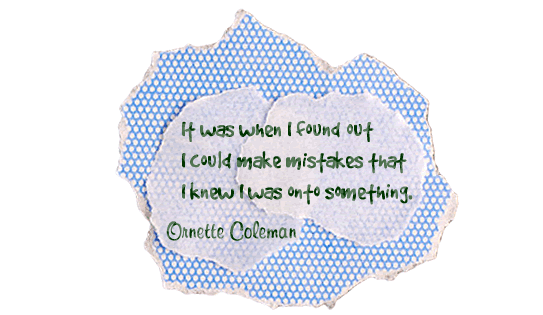
Today we are boldly making mistakes.Today, our children will make a small mess.
Today, we’ll set out on an adventure and begin with an “oops” and end up in a place where we can look and wonder. Together, we can do something mistaken and wrong; and audacious and wonderful to surprise everyone.
This project shows children that it is okay to make mistakes, and that, in fact, those mistakes can be turned into something wonderful, new, and meaningful. Students don’t hear often enough that it is okay to make mistakes and that it is indeed an important part of the learning process. Take a look at what these beautiful oops turn into:
The Send Felicity App has not yet been released to the iTunes store, but don’t let that stop you from using Felicity in your classroom right now, the Send Felicity website is full of fun activities, instructions, and even a bit of magic. You can also check Felicity out on Facebook where she shares creations made by children from around the world! Send your students home with a wonderful gift this holiday season and point them toward the Send Felicity website. Students will love the opportunities for play and imaginations, parents will love the ideas to keep their kids learning and playing. Let parents know about Send Felicity along with this article from Geek Mom for a little explanation.
The wonderful people over at Send Felicity are so passionate about creating a world of wonder and imagination for children to play in that they have made the technology that Send Felicity is based on open source. Interested parents, educators, and developers are invited to sign up to play along with them.
Devices: Compatible with iPhone, iPod touch iOS 3.1.3 or later
What it is: LEGO Education has some truly fantastic resources for classrooms. LEGO Club In-School Edition Magazines are free to schools and designed for first, second, third, and fourth grade students. The 2011 LEGO Club In-School Magazines have two themes: Ancient Egypt and Space Exploration. The magazines can be ordered in two versions. For first grade students, LEGO Club Junior includes puzzles, easy-to-read comics, and fun building challenges. For students in second, third, and fourth grade, LEGO Club focuses on basic reading, critical thinking games, and building ideas. Each magazine comes with a custom teacher’s guide that include fun hands-on activities, classroom tidbits, and articles about how to create a LEGO Smart classroom for your students.
How to integrate LEGO Education Magazine into your curriculum: These fun magazines will have your students learning about and exploring Ancient Egypt and Space Exploration in new hands-on ways. Your students will love the building challenges, comics and reading material, and activities that pique their curiosity. Use the LEGO Club Magazine as an introduction to a unit on Space or Ancient Egypt, or offer the activities in the magazine as extension activities.
Tips: Magazines are packaged in groups of 50, 100, and 200. Consider ordering the magazine for the entire grade or school.
Please leave a comment and share how you are using LEGO Education Magazine in your classroom!
What it is: On January 11, 2011 Google will be launching Google Science Fair. Google has partnered with NASA, CERN, National Geographic, Scientific American, and LEGO group to create a new global competition. There isn’t much information about the logistics of the science fair just yet, but right now you can sign up for fun and free resource kits for your classroom or school and a reminder notification when the Google Science Fair registration opens. The kit comes with bookmarks, stickers, posters, and more.
How to integrate Google Science Fair into your curriculum: Even though there aren’t many details about what the Google Science Fair will look like yet, rest assured with the partners involved it is sure to be an incredible learning experience. This is a global competition and should have ample opportunity for your students to connect with and learn from others around the world.
Tips: Sign up today to receive the Science Fair kit and receive a reminder when registration is open.
Please leave a comment and share how you are using Google Science Fair your classroom!